Practical Basketball Stress Test & Update Notes
Follow Practical Basketball early-access changes between park tests and creator patches.
Practical Basketball does not ship like a finished live-service title yet. Practical Creations runs stress-test and early-access windows on Roblox so players can expose bugs, tune badge thresholds, and validate park physics before a wider release. As of August 12, 2026, Stress Test 3 (ST3) reaches its community-tracked window end (Jul 29–Aug 12 PT). Expect [BE BACK SOON!] or no running experiences after close while Practical Creations ships fixes — that downtime is normal, not a cancellation. Start with After ST3 for post-window status, then Discord pins for the next open.
The best live information still arrives first on Discord rather than an in-game news feed. Official Trello boards may be absent or stale; treat pinned Discord posts as the primary source when ST3 goes offline.
This updates hub collects wiki-written summaries of each major test cycle. Use it as a chronological anchor when you return after a break and need to know whether takeovers, builder sliders, or control bindings changed overnight.
What counts as an update here
We document changes that affect how you play, not cosmetic-only drops:
- New or reopened park stress-test sessions and downtime notes
- Build creator revisions — anomalies, height caps, takeover slots, practice mode
- Badge and takeover additions or retunes (finishing, shooting, playmaking, defense)
- Control list updates published to the community server
- Anti-cheat and fairness messaging during tests
- Known bugs worth reporting through official channels
Small typo fixes in Roblox descriptions may not get standalone pages. Large mechanic shifts always do.
Featured stress-test coverage
Start with After ST3 for August 12, 2026 post-window status and Join Stress Test for Roblox queue steps when instances return. For full launch versus stress-test status — no confirmed release date as of August 12, 2026 — read Release Date. For the Jul 29–Aug 12, 2026 PT ST3 community window, read Stress Test 3. Then read Stress Test Notes, our deep dive into the latest public test many players compare to older Practical builds. For a narrative ST1 through ST3 timeline — tutorial mode, Play Now, park spot refreshes, matchmaking polish, and August 2026 early-access status — read Changelog. For BE BACK SOON / empty-server downtime — read Maintenance Status. For where to queue and practice — Plaza, Public Gym, Private Gym, Blacktop, Park, and Build Creator — read Park Modes — and watch for Round2NYC Court coverage when NYC-themed park spots rotate in.
Stress Test 3 and similar windows may go offline without warning while the team ships fixes. When Roblox shows no running experiences during an ST3 pause in August 2026, use downtime to read patch context here, refresh builds offline, and watch Discord for reopen pins — do not assume the game fully launched.
The Stress Test Notes page covers:
- Builder UI cleanup and anomaly slots in the creator
- Introduction of takeovers such as Smooth Operator and Knockdown Shooter
- Badge categories now visible during build planning
- Park stress-test goals — bug reports, UX feedback, and fair play enforcement
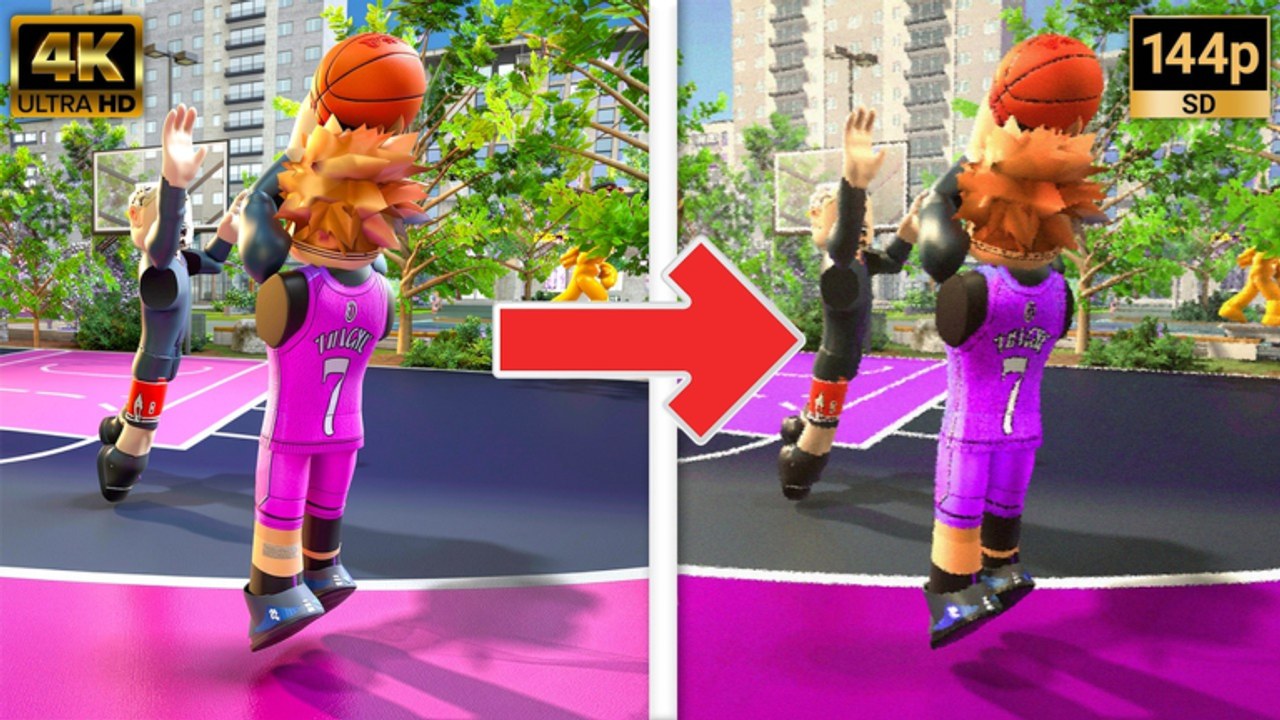
- A comparison video embedded mid-article (
Practical Basketball old vs new evolution) for visual context
After you read patch context, adjust builds in Build Helper and refresh inputs on Controls Cheat Sheet.
How to follow official news
Practical Creations points players to their communications server from the Roblox game page. We do not invent invite URLs on this wiki — use Community Links and Trello and Community for step-by-step directions. Discord is the primary channel; an official Trello may not exist for every test cycle.
When a stress test opens:
- Favorite the Practical Basketball Roblox page so you see server status changes.
- Join the developer community and read pinned control + known-issue posts.
- Skim this hub for wiki summaries tied to Takeovers and Badges and Players Hub archetype notes.
- Report reproducible bugs with clips — stress tests exist to catch exactly that feedback.
Update categories you should expect
Builder patches land most often during early access. Expect slider changes, new anomaly types, and quality-of-life in the creator flow such as cleaner screens and build testing before queueing park.
Gameplay tuning adjusts shot windows, contact dunk frequency, steal reach, and pass lane accuracy. Meta shifts fast — revisit Tier List after large tuning passes.
Content drops add park layouts, UI branding (such as PB splash screens), or practice modes. These may not change attributes but still alter how you warm up.
Live ops gaps — no confirmed promo-code system as of recent stress tests; Codes Hub stays a placeholder until official redemption exists.
Cross-links for returning players
| If you need… | Read… |
|---|---|
| Attribute planning after a patch | Build Helper |
| New dribble or post bindings | Controls Cheat Sheet |
| Takeover and badge details | Takeovers and Badges |
| Archetype framing | Players Hub |
| Official URLs and Discord/Trello discovery | Community Links |
| Beginner pacing | Getting Started |
| Park, gym, and queue locations | Park Modes |
Reporting bugs the right way
The Roblox description explicitly asks testers to report gameplay and UX issues in the communications server. Include platform (PC vs mobile), steps to reproduce, and short clips when possible. Avoid sharing exploit steps publicly — Practical Basketball advertises cheat detection and bans during tests.
Wiki maintenance promise
Each time Practical Basketball opens a new stress window, this hub should gain a dated entry or expand Stress Test Notes with verified changes. Descriptions stay within SEO budgets; bodies prioritize factual early-access language over hype. If a server is offline, we still note what changed in the creator offline so you can prepare before the next opening.
Bookmark this page and check Community Links when you are unsure whether a test is live — Roblox server lists update faster than fan wikis can write prose.
Frequently Asked Questions
Quick answers players ask before every park session.
How do I know when a new stress test starts?
Watch the Practical Basketball Roblox game page for active servers and follow the developer Discord linked from that page. Pinned announcements usually precede park openings.
Why does the game say no running experiences?
ST3 and other stress tests close between windows while the team fixes bugs and prepares the next build. In August 2026, that downtime is normal during early access — check Discord and the Roblox game page for reopen announcements.
Will this hub list every minor hotfix?
We focus on player-facing mechanic, builder, and control changes. Tiny backend fixes may only appear in Discord threads.
Should I rebuild my player after every update?
Only when patch notes or Stress Test Notes mention badge threshold, takeover, or attribute cap changes. Minor UI patches rarely require a full reroll.
Where do I play when a stress test is live?
Use Park Modes to choose between Plaza navigation, Public or Private Gym practice, Blacktop matchmaking, Park pickup games, and Build Creator planning. Check the Roblox game page for which queues are actually online.
When is the full Practical Basketball release date?
No full launch date is confirmed as of August 12, 2026. Read the Release Date Guide for the ST3 Jul 29–Aug 12 PT window and how to track official announcements on Discord.